A few months ago, I stumbled upon a site called edshelf that provides educators with a platform to save apps and websites for later reference. I created my account and started investigating the site and the potential it has for my personal needs.
It allows educators to create collections to save tools that are needed for their classroom.
It is a little like livebinders but for apps and web 2.0 tools. It doesn't save links, it save tools one could use for the classroom. It allows for numerous collections so if one has different content areas or different classes and had specific needs for each, collections could be created to use later.
One aspect I discovered that was helpful is the dashboard that outlines new users, what they have been adding, the collections they are making. I is a little like a twitter feed with links. Each of the collections is accessible by everyone and links can be copied to one's own edshelf collection.
I am going to use my edshelf to establish a Tech Tuesday collection (*tools to share with teachers), a blogging collection (*tools I can blog about) not to mention a few others. I am certain I will have a great deal of success with this site and I can already see some potential uses.
Tuesday, October 29, 2013
Friday, October 25, 2013
Citing sources Part 2: CiteThisForMe
I learned about this site from a librarian on my PLN. We were doing #TLCHAT one evening and someone asked a question about citations. The librarian mentioned sending students to this site to record their information for their papers.
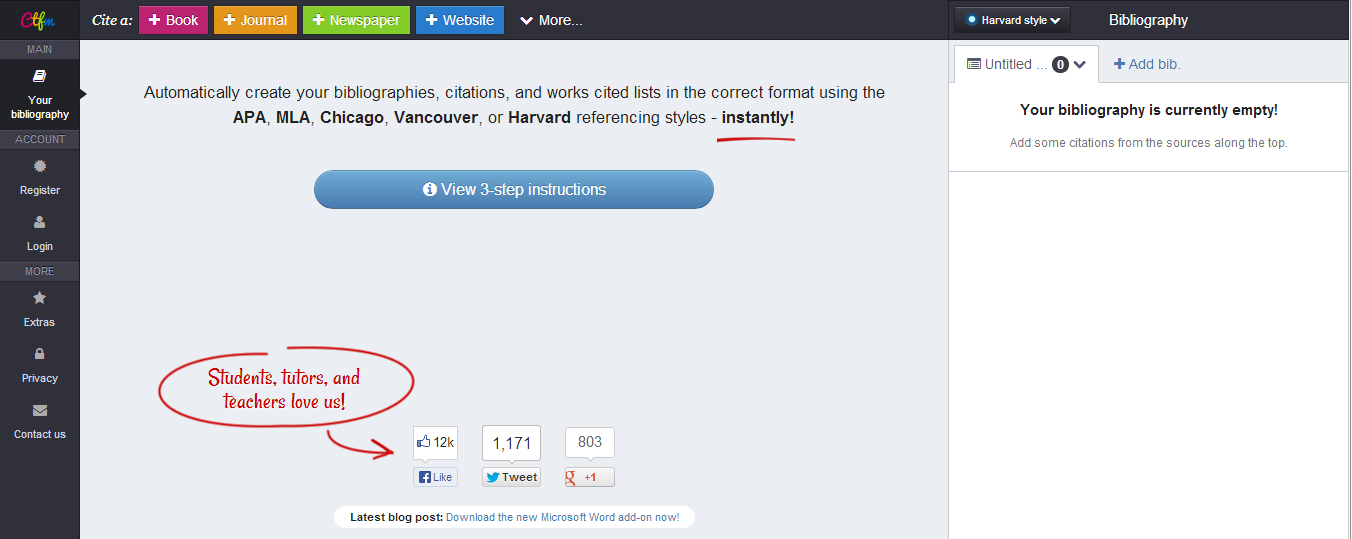
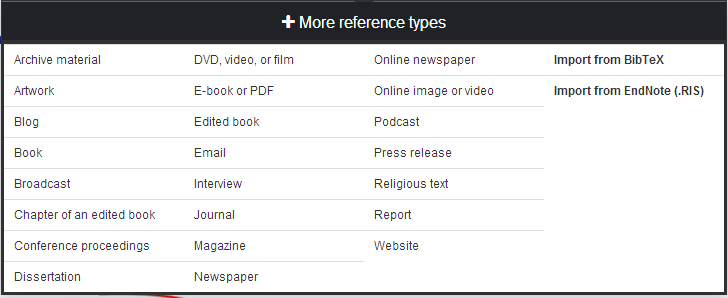
If you look at some of my screen shots, you will see how many different options there are for citation building. It covers all of the major book types.
The site itself is visually appealing and easy to use. There are several options available to use for your paper.
I encourage everyone to take a look at something such as CiteThisForMe as a way to organize and create an accurate works cited page.
Tuesday, October 22, 2013
Citing sources Part 2: Easybib
To continue my series about citing sources, I am going to delve into the world of another online cite that assists the writer in the art of citation. (Yes, I call it an art because it takes talent to master the skill. Many of our students are lacking that skill and need to have it drilled and added to their brains more often than once a year. It is a skill that needs to be adapted, utilized and practiced frequently.) My site today is: Easybib.
I learned about Easybib a few years ago when I was teaching a senior project class which involved writing a super intense research paper. I learned about it when I had my iPhone and someone told me to download the app and try it. I did and I loved how it worked. Scan a barcode and get the citation. Easy as that.
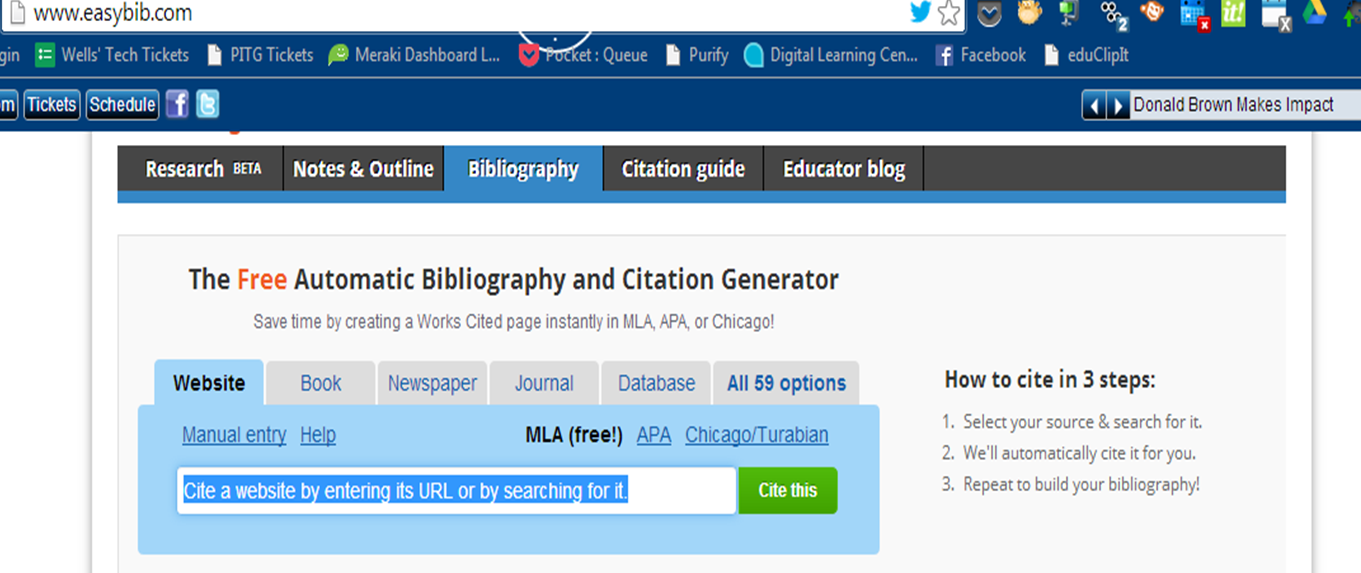
I checked the website and found it just as easy to use. It offers the researcher both guides to using a citation as well as offers ways to build the citation page. It is very simple for the researcher.
You merely decide the format *APA, MLA, etc. and plug in the information. It does the work for you. Is it going to teach kids what they need to know? No, but, my thought about this is; who is going to sit down in real life and develop a citation based on the current MLA format? Who is going to read through a guide and go step by step to build it when every database has the entire thing? I wouldn't. If I had some of these wonderful sources to use when I was doing my numerous college papers, I would have absolutely taken advantage of it.
With that being said, Easybib is just that- Easy! It can do a lot to help the research process. I also noticed it adds a special toolbar to Chrome to allow you to tag sites as you access them. Talk about easy!
Friday, October 18, 2013
Citing sources Part 2: OSLIS
My English teacher colleague grew up in Oregon and this site was highly regarded by the locals for its ease of use and factual information. When she moved to Indiana, she brought the information with her and sends her students here to do their citations. It offers users a simple format to get started on a research process. There is also a location to cite sources. Unlike the Purdue cite, OSLIS has it's own citation maker.
Users merely search for a specific format on the sitebar and input the necessary information. Voila, you have a citation. The hardest part here is training students to log the right information. If we start them young, and continue the process, they will learn it and master it.
A few things to note, the graphics are a bit elementary. I can already imagine a high school student telling you it's immature and such because the graphics are child like. I just tell them the information is good and worthwhile so just use the site!
Next in the series: Easybib as a means of citing.
Subscribe to:
Posts (Atom)