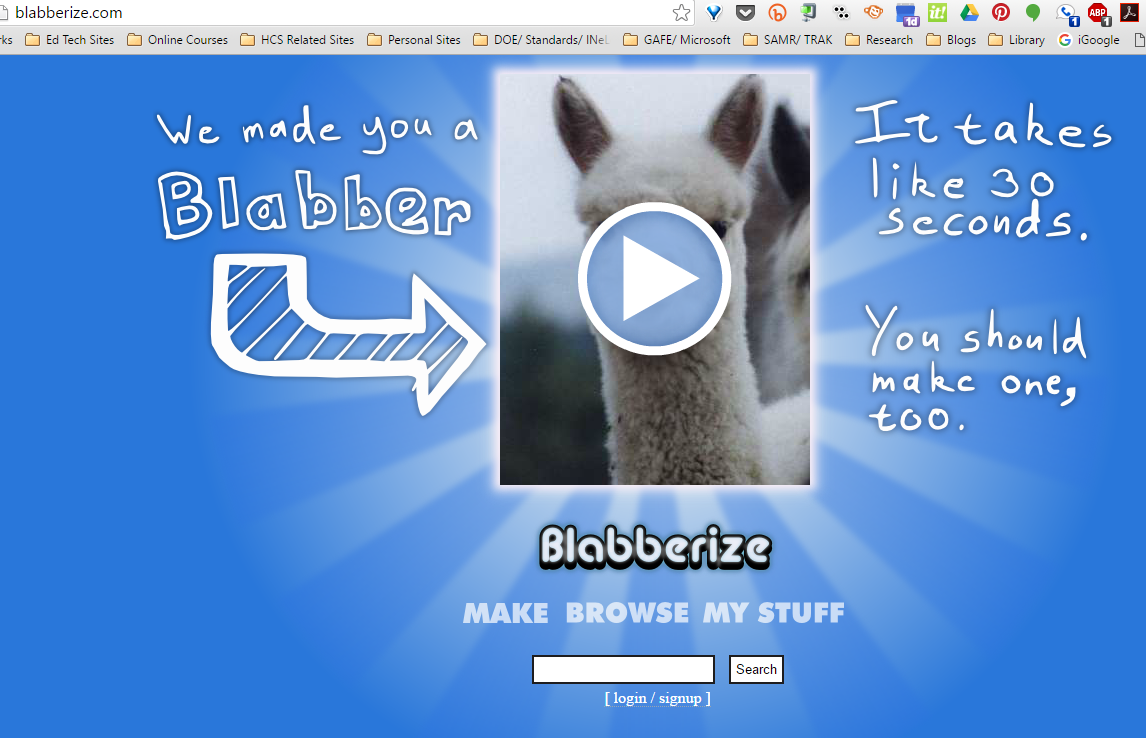
Being that I am originally a foreign language teacher, I often have that side of my brain running when I look at a website. How could this be used in a foreign language class? I found a fun one today called Blabberize. It's free and it is quick, but it could be very beneficial in a foreign language class or even some other classes where a quick presentation could take place.
Here is how it works: You find a photo or a picture and upload it to their site. Then, you record a clip of information one of three ways, microphone, telephone or upload. Then, the site merges the audio together with the image and you have a talking photo.
I see this being very useful for a quick response in foreign language. It appears that only one person can speak so no conversations but maybe students can answer a quick question or something.
I wouldn't use this often in my classroom, maybe from time to time as a change in pace. It's definitely worth looking into.
Friday, May 27, 2016
Friday, April 29, 2016
Educaplay Learning Resources tool
Not long ago, a tweet passed through my feed from SimpleK12, and as you probably have seen, I am a big fan of SimpleK12. They offer so many wonderful things to educators. The feed was a blog post with 50+ free tech tools for your classroom. I was hooked. I started checking them out and decided I am going to do several posts about some of them. We are starting today with a post about EDUCAPLAY which is a multimedia resource tool.
Educaplay is a site that allows users to create multimedia games and tools to use as a review tool. You can create a free account to use and also search a directory of other people's files. This site reminded me a little of Quia, which I used to use when I was teaching as a review tool. As my followers know, I am too cheap to buy tools, and this one is a freebie.
Creating an account was easy, so was making an activity. I noticed you can select your country and then see specific grade levels and specific content to cover in the activity. There are also tutorial videos available for each activity you use. When you make the activities, you can alternate the method of presenting the materials- visual, text or audio. (Awesome tool for a foreign language teacher!)
I think this is a pretty good tool for the classroom teacher of all levels. Because there are many methods of presenting information, it will benefit many. I think, too, it could be embedded into some LMS as well.
Educaplay is a site that allows users to create multimedia games and tools to use as a review tool. You can create a free account to use and also search a directory of other people's files. This site reminded me a little of Quia, which I used to use when I was teaching as a review tool. As my followers know, I am too cheap to buy tools, and this one is a freebie.
Creating an account was easy, so was making an activity. I noticed you can select your country and then see specific grade levels and specific content to cover in the activity. There are also tutorial videos available for each activity you use. When you make the activities, you can alternate the method of presenting the materials- visual, text or audio. (Awesome tool for a foreign language teacher!)
I think this is a pretty good tool for the classroom teacher of all levels. Because there are many methods of presenting information, it will benefit many. I think, too, it could be embedded into some LMS as well.
Friday, April 15, 2016
A New form of book reports: Trailers
With students today being so much more tech savvy than they were ten, or even five years ago, the need to change out methods of instruction is vastly growing. But, what about our way of collecting information and assessing students?
This semester I was given two sections of a course called Library Media. In Indiana, this is a course that is designed to focus on research as well as the ongoings of a school library. Students are to focus on digital citizenship, reading and recommendations. One of the assignments I decided to do was to replace the traditional book report with a book trailer. I felt letting kids do a more technology based presentation/ recommendation would be more exciting and let them use a little more creativity than simply writing a report.
The students used one of two online platform called Powtoon or Animoto. Both of them allow users to create fast presentations that come out as a video. Many of the kids chose Powtoon because it let them modify the fonts and change the size of text. They are also able to do transitions, which they liked.
The outcome was really a great one. I was pleased with the results and it made the assignment so much more fun.
Anyone who requires students to read a novel or even a book excerpt can require students to do a book trailer in place of the traditional report.
This semester I was given two sections of a course called Library Media. In Indiana, this is a course that is designed to focus on research as well as the ongoings of a school library. Students are to focus on digital citizenship, reading and recommendations. One of the assignments I decided to do was to replace the traditional book report with a book trailer. I felt letting kids do a more technology based presentation/ recommendation would be more exciting and let them use a little more creativity than simply writing a report.
The students used one of two online platform called Powtoon or Animoto. Both of them allow users to create fast presentations that come out as a video. Many of the kids chose Powtoon because it let them modify the fonts and change the size of text. They are also able to do transitions, which they liked.
The outcome was really a great one. I was pleased with the results and it made the assignment so much more fun.
Anyone who requires students to read a novel or even a book excerpt can require students to do a book trailer in place of the traditional report.
Tuesday, February 23, 2016
Symbaloo is still awesome
I know in the past I have written about Symbaloo and how I have used it for various things but I again want to rave on it a little.
I have been using Symbaloo as an embedded part of my library website as a tool for my students to access. I have found it offers them so much information in a little space and it has been so helpful to the kids. I love the fact that I can make color coded categories and that I can link to other Symbaloo . It's wonderful to not have to re-invent the wheel if you need to do some additions. You just make a box and link it to another Symbaloo you already have done.
I think having access to it makes the library page a little more user friendly. Kids just remember what color you told them to look at and they go to that section to get their information. It has helped make research a breeze for the students. I think my teacher appreciate it as well since they can direct the kids to the section they want.
Teachers are also finding ease of use with Symbaloo. Many of them are picking the sites they want students to access and creating a Symbaloo they use for that component of class. It works wonderfully.
Again, Symbaloo is so user friendly and easy to work with, it is definitely worth looking into for any content area.
I have been using Symbaloo as an embedded part of my library website as a tool for my students to access. I have found it offers them so much information in a little space and it has been so helpful to the kids. I love the fact that I can make color coded categories and that I can link to other Symbaloo . It's wonderful to not have to re-invent the wheel if you need to do some additions. You just make a box and link it to another Symbaloo you already have done.
I think having access to it makes the library page a little more user friendly. Kids just remember what color you told them to look at and they go to that section to get their information. It has helped make research a breeze for the students. I think my teacher appreciate it as well since they can direct the kids to the section they want.
Teachers are also finding ease of use with Symbaloo. Many of them are picking the sites they want students to access and creating a Symbaloo they use for that component of class. It works wonderfully.
Again, Symbaloo is so user friendly and easy to work with, it is definitely worth looking into for any content area.
Subscribe to:
Posts (Atom)