Being a school library media specialist, I often have a cringe cross over me when a student is told to just google something and go with it. Using google is the common go to method for research and often it is done incorrectly. Knowing how to google right might take that cringe away from me.
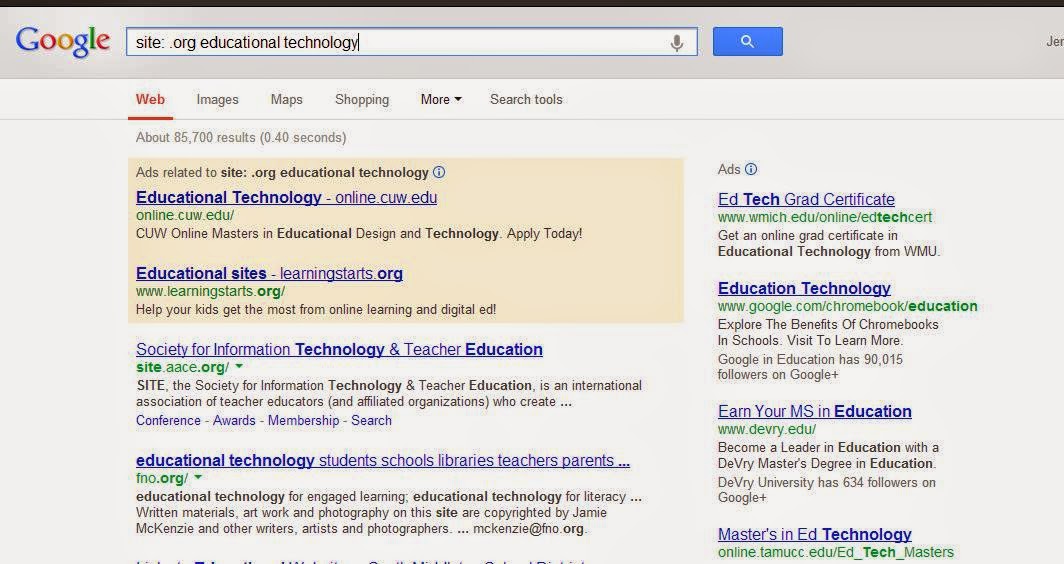 First off... site searches. Google allows users to input a specific site format in the query box. Instead of getting back all of the sites from .com to .gov, I can specify in the query box what site type I want. If students have to Google for their information, guiding them to use the site specific search makes it a little better. Here's how it works: in the query box, type site: [site type] and the keywords. Let's look at an example: I want to know about educational technology and organizations that deal with it. So... site: .org educational technology. Click go and the return are just articles and sites with .org in them that relate to the specific topic.
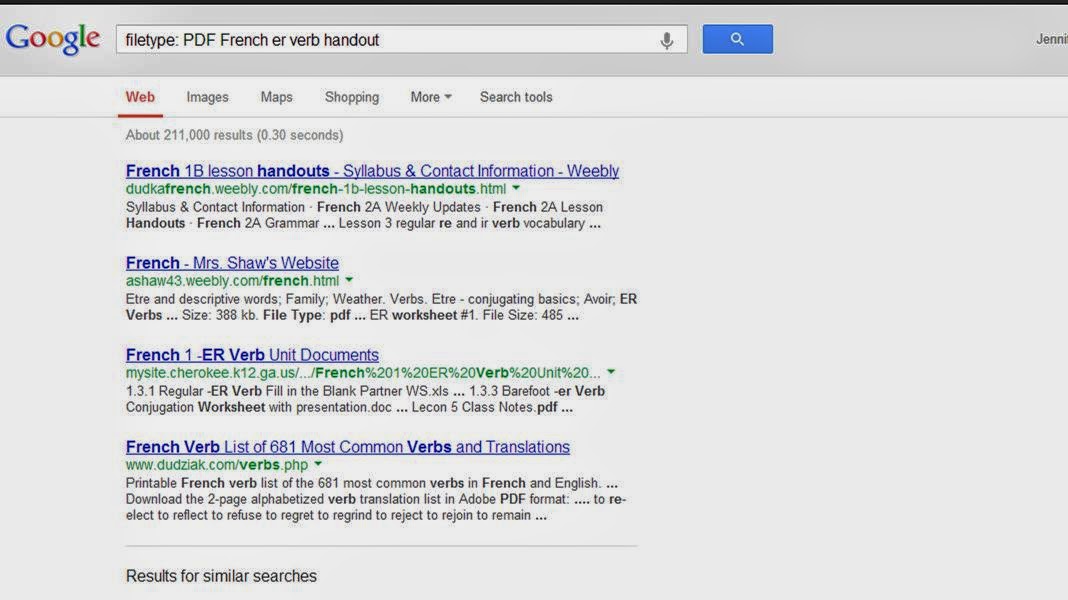 The same goes for file type. Often, when I teach French class I want to find a document to use as a reference or find something in creative commons for the kids to use as an additional tool. By doing a filetype query, I can get documents back that aren't a mix match of things. Here are some examples: in the query box type filetype: [format of choice] and the item. It looks like this: filetype PDF French er verb handout. The results that jet back will only be in PDF format.
I have decided my goal as an LMS is to guide kids to look for items in Google the right way and not just generally. I think my cringe will go away if students are guided to google in the right direction.

